FreeWebCheck
I Ran a Full Website Audit on My Site — Here's What I Found
I built a website audit tool. Then I ran it on my own site. That was humbling.
You know how it goes — you launch a project, add features, ship fixes, and you’re pretty sure everything is fine. Then you take a hard look at your own work through the same lens you built for everyone else, and well… let’s just say I found things.
Here’s what the audit turned up, what I fixed, and what I wish I’d caught earlier.
The Setup
I pointed our Website Audit tool at freewebcheck.pages.dev with a crawl depth of 3 — enough to hit the homepage, all tool pages, blog posts, glossary, FAQ, and the legal pages. About 25 pages total.
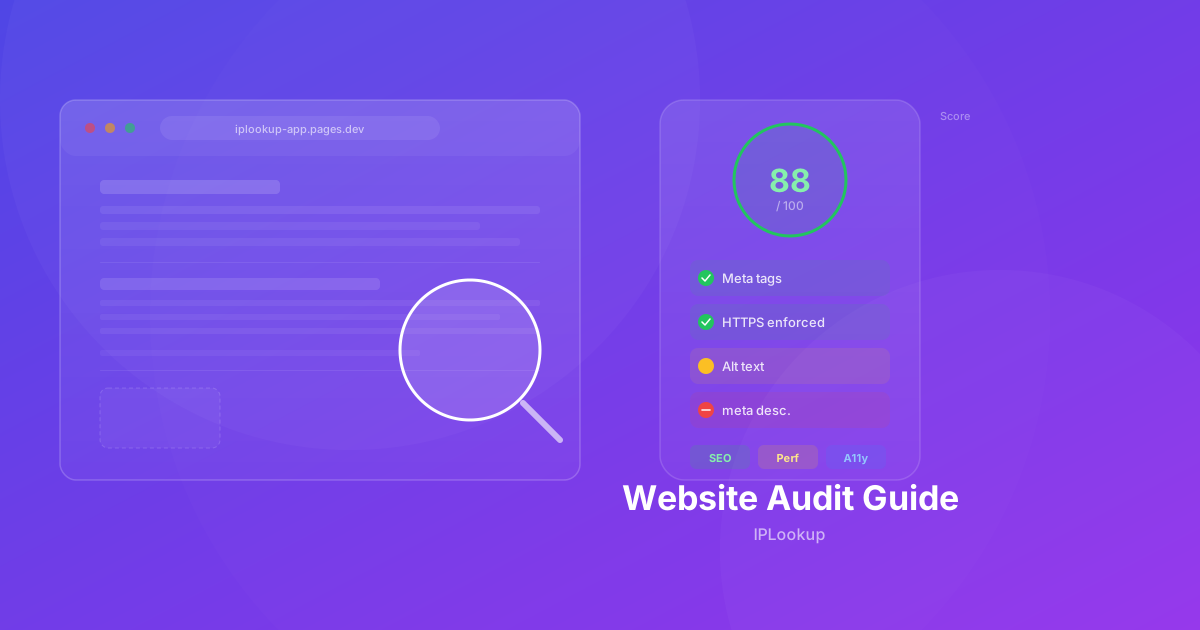
The tool checks four areas: on-page SEO, technical health, content quality, and accessibility. Each page gets a score, and the report groups issues by severity (Critical, Important, Suggestion) so you can prioritize your fixes. It also tracks the overall site score, giving you a single number to measure improvement over time.
I felt confident going in. I didn’t stay confident for long.
The Crawl Dashboard
When you run a full audit, the first thing you see is the crawl dashboard — a summary of all pages checked, overall scores, and a breakdown of passes, warnings, and failures across all four categories. The dashboard gives you a bird’s-eye view of your site’s health:
- Overall score — A weighted average combining all checks across all pages
- Pages crawled — The number of pages the tool discovered and analyzed
- Issues by severity — Critical failures, important warnings, and suggestions grouped for prioritization
- Category scores — Separate scores for SEO, technical health, content, and accessibility
The dashboard is designed to answer one question: “Is my site in good shape overall, or are there systemic problems?” Before drilling into individual page issues, you can see the big picture at a glance.
What I Found
Missing Meta Descriptions
A handful of pages had no meta description at all. Not blank — missing. The HTML just skipped the tag entirely. That means Google would either display nothing in search results or auto-generate a snippet from whatever random text it found first on the page. Neither option is good for click-through rates.
The fix was straightforward: add a concise, keyword-rich description to each page. But the lesson stuck — it’s easy to add a new page and forget the meta tags, especially when you’re focused on functionality. Since then, I’ve made meta descriptions part of my launch checklist for every new page.
Mixed Content Warnings
A few images were loading over HTTP instead of HTTPS. Modern browsers flag this as mixed content, and some will block the images entirely. Cloudflare explains that mixed content occurs when a secure HTTPS page loads resources over HTTP, and browsers block or warn about these resources (source). The interesting part is that I never noticed because the browser handled it silently — the image just didn’t load, and I assumed it was a slow network.
Turns out I’d hardcoded a couple of image URLs with http:// in a blog post. Easy fix (just change to https://), but embarrassing. The audit catches these automatically by checking every resource URL on every page, so you don’t have to visually inspect each one.
Accessibility Gaps
This one stung. I’d been careful about heading structure and alt text, but the audit flagged several <button> elements without accessible names, a form field missing an associated <label>, and two images with empty alt attributes.
The buttons were icon-only toggles (dark mode, mobile menu) that relied on visual context. Screen reader users would hear “button” with no indication of what the button does. Adding aria-label fixed it in minutes.
The missing label was on the glossary search field — it had a placeholder but no explicit label. Placeholders disappear when you start typing, so someone using a screen reader would lose all context once they began entering text. The fix was adding a proper <label> element that stays visible to assistive technology.
Duplicate Title Tags
The privacy policy and terms pages had the same title tag format. Not a huge deal for those pages since they rarely rank for the same queries, but it’s a pattern that scales poorly. If you have 50 blog posts and half share similar titles, you’re competing with yourself in search results. Each page should have a unique, descriptive title that tells search engines and users exactly what that page is about.
Missing Internal Links
The audit found several pages with zero internal links pointing to them — essentially orphan pages that search engines would struggle to discover. These were older blog posts and utility pages that I’d created but never linked to from any other page. Adding contextual internal links from relevant content fixed the discovery problem and helped distribute PageRank more evenly across the site.
How to Use the Detail View
For each page in the audit, you can click through to a detailed report showing every check, its status (pass, warn, fail), the impact level, and specific evidence. The evidence is particularly useful — instead of just saying “meta description missing,” it shows you the actual HTML of the page head so you can see exactly what’s there and what’s not.
The detail view also includes a list of all links found on the page, a preview of the page metadata, and the raw HTTP response headers. This makes it easy to debug issues like wrong status codes, missing security headers, or incorrect canonical URLs without switching between multiple tools.
The Scoring System
Each check in the audit has an impact level — Critical, Important, or Suggestion. The page score is calculated as a weighted average:
(pass × 1 + warn × 0.5 + fail × 0) × impact / totalImpact × 100
The site-wide score is the average of all individual page scores. This means a single broken page drags down your overall score, which is useful for identifying weak spots. After fixing the critical issues, my site score went from 72 to 88 — a meaningful improvement driven by a few high-impact fixes.
What I Fixed Right Away
The critical and high-severity issues took about an afternoon to clean up:
- Added missing meta descriptions to 3 pages
- Switched mixed content URLs to HTTPS
- Added aria-labels to icon buttons
- Fixed the glossary search label
- Rewrote a couple of duplicate title tags
- Added internal links to orphaned pages
The tool re-scores pages after each check, so I ran the audit again and watched the overall score climb from 72 to 88. That felt good.
What I’m Still Working On
Some issues aren’t one-and-done fixes:
- Content length — a few pages are thin on content. The tool flags anything under 300 words. I’m slowly expanding those pages with more useful information, examples, and practical guidance.
- Readability — some of my blog posts score lower than I’d like on readability. I’m going back to simplify sentences, break up long paragraphs, and use more subheadings to improve scannability.
- Internal linking — the audit found pages with zero internal links pointing to them. I’m adding contextual links where it makes sense and building a more intentional internal linking structure over time.
What Surprised Me
A few things didn’t trigger any warnings:
- Canonical URLs — every page had a proper canonical tag pointing to the right URL. No duplicates or missing tags.
- Heading structure — all pages had a single H1 followed by properly nested H2s and H3s. The heading hierarchy was clean.
- HTTPS enforcement — no pages were accessible over HTTP. The redirect chain was clean and consistent.
- Structured data — the FAQPage and breadcrumb schemas were valid and properly formatted. Google Search Central provides guidelines for FAQPage and BreadcrumbList structured data, which can enable rich results in search snippets (source).
It’s nice to know some things are working. But the audit showed me that even when you think you’re being careful, there’s always room for improvement.
Run Your Own Audit
If you’re curious about your own site, run a free audit. No need to sign up or create an account. Just type in a URL and see what comes back.
I can’t promise you’ll enjoy the results. But I can promise you’ll learn something about your site that you didn’t know before — and that knowledge is the first step to making it better.