FreeWebCheck
How to Hide My IP Address
I got blocked from a public dataset last year because the site didn’t like my IP range. That’s when I started paying attention to what my IP actually reveals. Your IP leaks your approximate city and ISP to every site you visit. That’s usually fine — but sometimes you want it hidden. Here’s how.
Your Options, From Best to Least Practical
VPN — The Everyday Choice
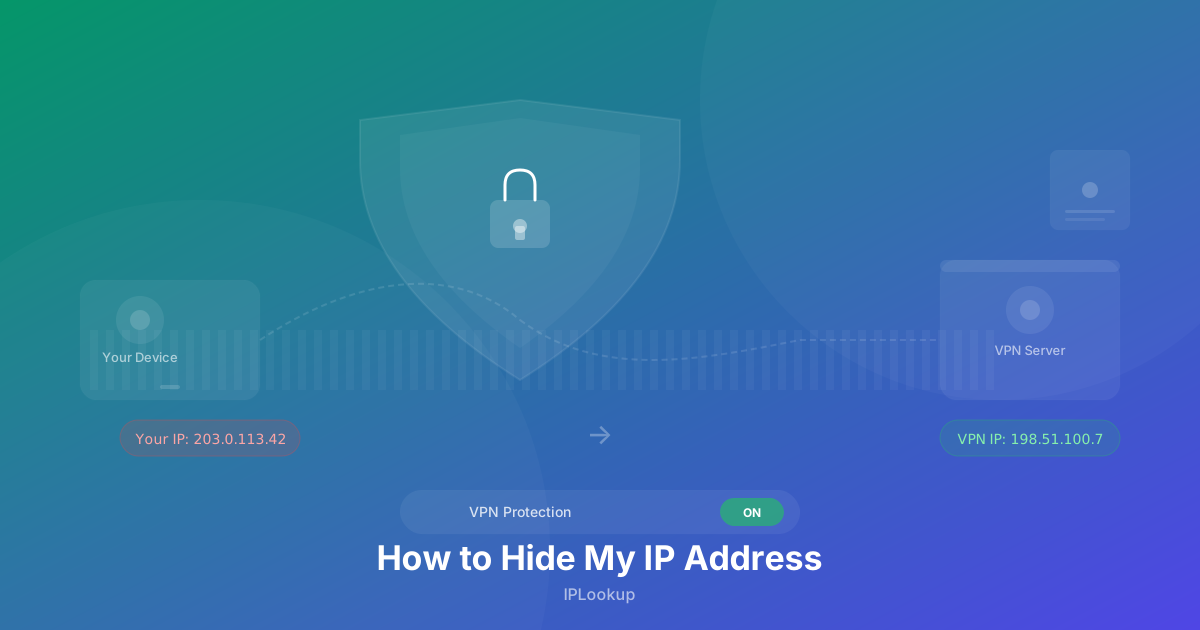
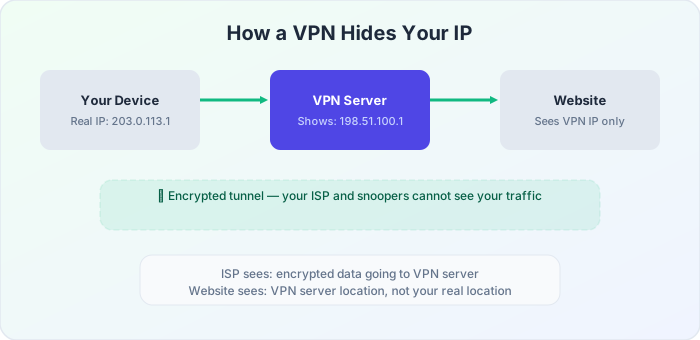
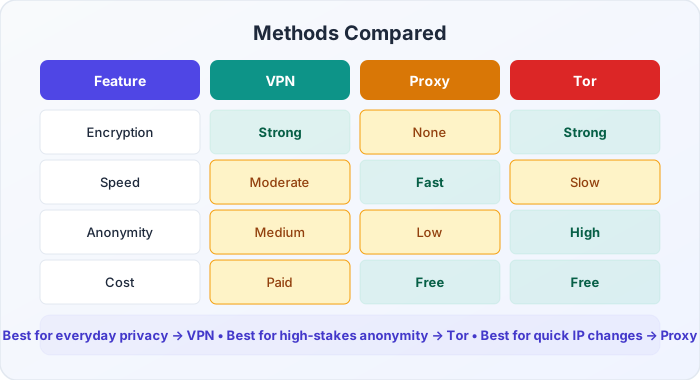
A VPN is the most reliable method for hiding your IP. It routes all your traffic through an encrypted tunnel to a remote server, and websites see that server’s IP instead of yours. Cloudflare describes a VPN as creating an encrypted tunnel between your device and a VPN server, masking your real IP and encrypting traffic so your ISP cannot see what you do online (source). It works across every application on your device, not just the browser. I’ve been using one for years and the only time I notice it’s there is when I need to check that it’s actually running.
The trade-offs: a decent VPN costs $3-12 a month (free ones usually sell your data). Encryption adds a tiny bit of latency — noticeable if you’re gaming, not noticeable for browsing. Some streaming services block known VPN IPs. And you’re trusting your VPN provider with your traffic, so pick one with published audit results.
Tor — For When Anonymity Really Matters
Tor routes your traffic through three randomly selected relays, each removing a layer of encryption. No single relay knows both where you’re coming from and where you’re going. It’s the strongest anonymity you can get without specialized equipment.
But it’s slow. Too slow for streaming or video calls. Some sites block Tor exit nodes. And it only works through the Tor Browser, so it’s not a general-purpose solution. I use Tor for specific research tasks, not daily browsing. For high-stakes anonymity, nothing beats it.
Proxy — A Lighter Option With Caveats
A proxy replaces your IP with the proxy server’s IP, like a VPN does. But most proxies don’t encrypt your traffic, so your ISP can still see what you’re doing. Free proxies are notorious for logging and selling user data, and they frequently go offline without warning. I’d only recommend a proxy for a quick, specific task — bypassing a simple geo-block once, for example — not as a privacy tool.
Public Wi-Fi and Mobile Hotspots — Quick Workarounds
These change your IP without any setup. Connecting to a coffee shop Wi-Fi or switching to your phone’s mobile data gives you a different address. But neither provides privacy: public Wi-Fi is often unencrypted, and your mobile carrier can still see all your traffic. These are “I need a different IP right now for five minutes” solutions, not privacy methods.
Which Method Should You Choose?
If you want one answer: get a paid VPN from a reputable provider. It covers most use cases — everyday privacy, bypassing geo-blocks, securing public Wi-Fi. Tor if you need stronger anonymity. Proxies and mobile workarounds only if the situation is temporary and low-stakes.
How to Verify Your IP Is Hidden
After connecting to a VPN or proxy, visit our IP lookup page to see your current IP address. If the IP shown matches your VPN or proxy server’s location rather than your physical location, your IP is successfully hidden.
For a more thorough check, use our VPN detection tool to see if your connection appears to use a VPN or datacenter IP.
Important Caveats
- Hiding your IP doesn’t make you completely anonymous — websites can still identify you through cookies, browser fingerprinting, and login credentials
- No method is 100% effective against a determined adversary with resources (law enforcement or state actors)
- Always use HTTPS websites to encrypt your traffic, even when using a VPN or proxy. Cloudflare notes that HTTPS adds a critical layer of protection even when a VPN is already encrypting your connection to the server (source)
- Read your VPN provider’s privacy policy carefully — some log your activity despite claiming otherwise