FreeWebCheck
How to Secure Your Website: A Practical Guide
I got an alert from my blog’s analytics last month. A visitor from Brazil tried to access my site and was hit with a “NET::ERR_CERT_DATE_INVALID” error. My SSL certificate had expired — I’d missed the renewal email. The certificate was only 90-day Let’s Encrypt, auto-renewal had silently failed, and I didn’t notice for almost a week. That visitor never came back.
Security failures are almost never dramatic hacks. They’re expired certificates, missing headers, and mixed content warnings that erode trust one visitor at a time. Here’s how to check the most important things and fix them.
SSL / TLS: The Bare Minimum
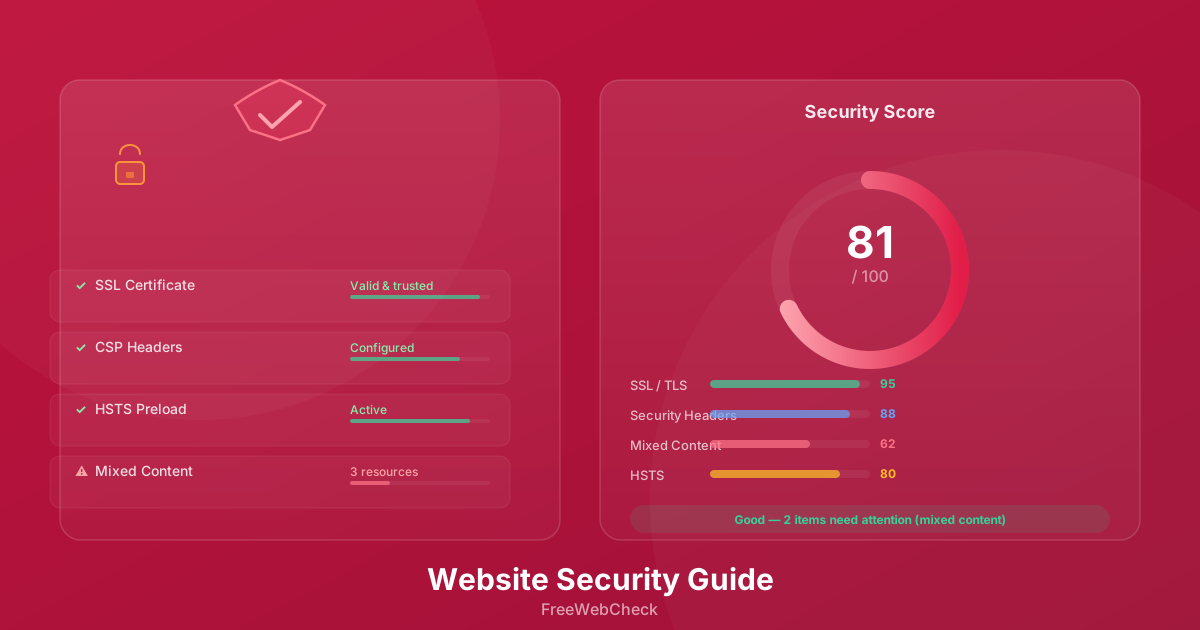
SSL is the lock on your front door. Without it, everything sent between your server and your visitors is plain text. That includes login forms, emails, and payment details. Chrome marks HTTP sites as “Not Secure” right in the address bar. If your certificate is valid, the connection is encrypted, and the browser shows a padlock. Simple.
But valid isn’t the same as correct. The SSL Checker inspects the full certificate chain, signing algorithm, key strength, and TLS version. I’ve tested sites that looked fine at a glance but had an expired intermediate certificate or used SHA-1 signing. SHA-1 was deprecated in 2016 — browsers already warn about it. If you’re still on TLS 1.0 or 1.1, you’re vulnerable to downgrade attacks. Move to TLS 1.2 or 1.3.
One thing people don’t realize: a wildcard certificate for *.example.com won’t cover example.com (without the subdomain). You need a separate SAN entry. Learned that one the hard way.
CSP Headers: Stop XSS Before It Starts
Content Security Policy is a browser security header that controls which resources can load on your page. It prevents cross-site scripting by telling the browser to block inline scripts, restrict external domains, and disable dangerous features like eval().
Setting up CSP is straightforward. A policy like default-src 'self' blocks everything except resources from your own domain. You can gradually expand it with script-src, style-src, and img-src directives. The tricky part is testing — too strict a policy will break third-party scripts like analytics or embedded videos. I’ve had to loosen CSP for Google Tag Manager twice, and both times I caught it during testing rather than in production.
The Website Audit tool checks for CSP headers and reports whether the policy is present and reasonably configured.
HSTS: Force HTTPS Every Time
HSTS (HTTP Strict Transport Security) tells the browser to always use HTTPS for your domain, even if the user types http:// or clicks an old link. This prevents downgrade attacks and SSL stripping.
Set the header to max-age=31536000; includeSubDomains; preload. The preload directive submits your domain to the browser’s built-in HSTS preload list — this is the gold standard. Once you’re on that list, major browsers will never connect to your site over HTTP.
The downside? HSTS preload is hard to undo. If you ever need to serve HTTP again (for a staging environment, say), you’ll have to wait for the max-age to expire across all browsers. It’s a commitment.
Mixed Content: The Silent Problem
Mixed content happens when your page loads over HTTPS but includes resources (images, scripts, stylesheets) over HTTP. Browsers block active mixed content (JavaScript) by default — this can silently break parts of your site.
I ran the audit on a client’s e-commerce site and found seventeen mixed content warnings. Sixteen were product images linked with http:// URLs in the database. The last one was a third-party review widget loading over HTTP. Fixing the images was a database query. The widget needed a support ticket.
The Website Audit tool scans every page and flags each mixed content resource so you know exactly what to fix.
Security vs Usability: The Tradeoff
Locking everything down is possible — strict CSP, HSTS preload, no external resources. But you’ll likely break analytics, heatmaps, embedded videos, and payment gateways. The question is where to draw the line.
My rule: protect user data first, optimize everything else second. SSL and HSTS are non-negotiable. CSP should be strict enough to block XSS but flexible enough to let your tools work. Mixed content should be zero — this one has no usability tradeoff, it’s just old URLs that need updating.
Quick Checklist
- SSL certificate is valid and not expiring soon
- Certificate chain is complete (no missing intermediates)
- TLS 1.2 or 1.3 is supported (TLS 1.0 and 1.1 are disabled)
- HSTS header is set with
includeSubDomainsand ideallypreload - CSP header is present and blocks inline scripts
- No mixed content warnings on any page
- Third-party scripts are audited for security risks
- Security headers are applied across all subdomains
Check Your Site Now
Run your domain through the SSL Checker — it takes ten seconds. Then run the Website Audit for a full scan. Most issues are quick fixes, and you’ll catch the next expired certificate before a visitor from Brazil has to tell you about it.