FreeWebCheck
Website Accessibility: Why It Matters for SEO
I was running a website audit for a client last year and their homepage had a 92 SEO score. Great, right? Then I checked accessibility — it scored 34. Missing alt text on every image. No ARIA landmarks. A color scheme that failed WCAG AA on half the text. The site looked fine to me. But for someone using a screen reader or navigating by keyboard, it was borderline unusable.
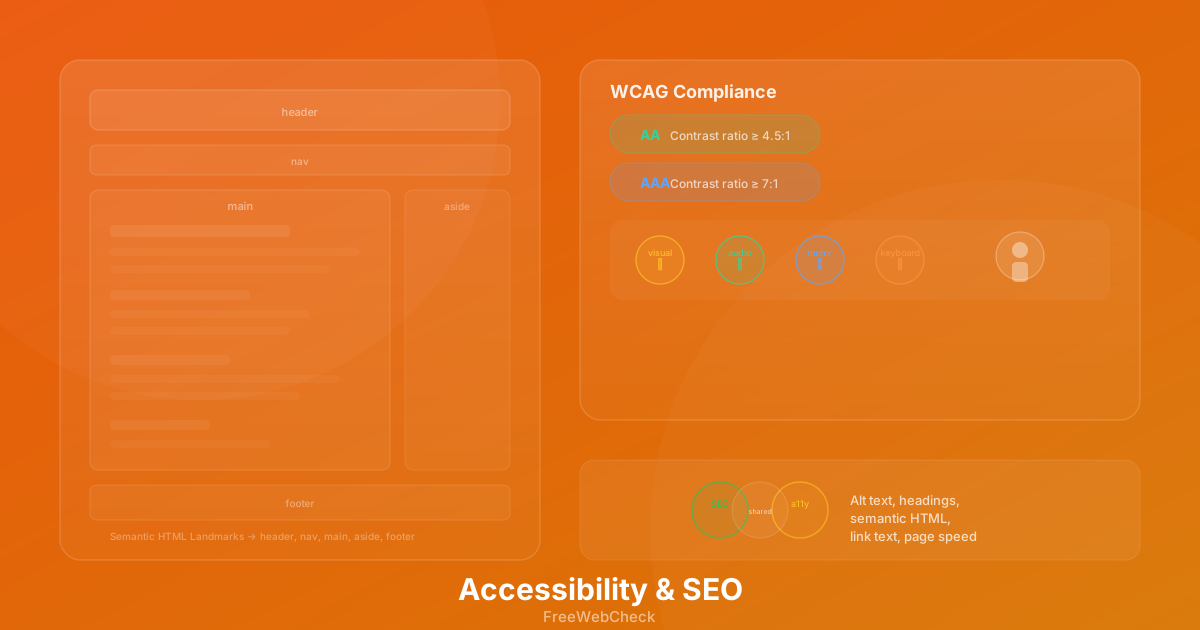
Accessibility and SEO are often treated as separate concerns. They aren’t. A lot of the things that make your site accessible also make it easier for search engines to crawl and understand. Alt text helps screen readers describe images to blind users; it also gives Google context about what the image shows. Proper heading structure helps people tab through your content; it also tells search engines which parts of the page matter most. Semantic HTML landmarks — <header>, <nav>, <main>, <footer> — provide a clear content outline for assistive tech and crawlers alike.
The overlap isn’t accidental. Search engines want to rank pages that work well for all users. Accessibility is part of that equation.
What WCAG Actually Means
WCAG — the Web Content Accessibility Guidelines — is the standard for accessible web content. It’s organized around four principles: Perceivable, Operable, Understandable, Robust. Each principle has testable criteria with three conformance levels. AA is the minimum most organizations target. AAA is the gold standard but can be difficult to achieve across every page.
The check that catches most sites is contrast ratio. WCAG AA requires a contrast ratio of at least 4.5:1 for normal text and 3:1 for large text. AAA bumps that to 7:1 and 4.5:1. I ran fifty websites through an audit last month and thirty-eight of them had text that failed AA contrast. Most of them used light gray text on white backgrounds — something that looks clean in a design mockup but becomes unreadable in direct sunlight or for someone with low vision.
Other common failures include missing form labels, images without alt text, links that say “click here” with no context, and pages that lose functionality when zoomed to 200%. The Website Audit tool checks for all of these and scores accessibility separately from SEO and performance.
Where the Signals Overlap
Let me be specific about where accessibility fixes directly help your search rankings.
Alt text. Every <img> needs meaningful alt text. Screen readers read it aloud, and search engines use it to index images. Google’s John Mueller has confirmed that images with descriptive alt text are more likely to appear in image search results (source). If you have a page about hiking gear and the product photo alt reads “img0423.jpg,” you’ve lost that signal entirely.
Heading hierarchy. An H1 followed by an H3 with no H2 in between confuses screen reader users and makes it harder for search engines to understand the page structure. I see this constantly — pages jump from H1 straight to H3 because the designer liked how it looked. The SEO Analyzer flags skipped heading levels as both an accessibility and a structural issue.
Link text. “Click here” and “read more” tell a screen reader nothing about the destination. They also dilute the keyword signal that descriptive anchor text provides. A link that says “free SEO audit tools” carries more weight than one that says “click here.”
Page speed. This one gets less attention in accessibility circles, but slow pages disproportionately affect users with cognitive disabilities or those on older devices. Optimizing images, reducing JavaScript, and enabling caching help everyone. The Image Toolkit is a free way to compress and convert images to WebP without losing quality.
Quick Accessibility Checklist
Work through these on any page you publish:
- Every image has descriptive alt text (or
aria-hidden="true"if decorative) - Heading levels go in order: H1 → H2 → H3, no skipping
- Text contrast passes WCAG AA (4.5:1 for normal text)
- All form inputs have labels (
<label>oraria-label) - The page is fully navigable by keyboard (Tab, Enter, Escape)
- The
<html>element has alangattribute - Links have meaningful text (not “click here”)
- Page works at 200% zoom without horizontal scrolling
The SEO Analyzer checks most of these automatically. Run it alongside a visual review — automated tools catch the low-hanging fruit but miss things like logical focus order and sensible tab sequences.
The Tradeoff You Need to Know
Accessibility takes real effort. Retrofitting an existing site is harder than building accessibly from the start. Contrast fixes often require design system changes. Adding ARIA labels to a complex interactive widget takes careful testing with actual screen readers. And some AAA requirements — like providing sign language for all prerecorded audio — are impractical for most teams.
Still, the AA baseline is achievable for almost any site. And the return is measurable. Better headings help your content rank. Alt text drives image search traffic. Faster pages keep visitors around. More importantly, your site becomes usable by people who would otherwise be locked out. I had a friend test my site with a screen reader after I thought I’d done a thorough job. It took her about thirty seconds to find a button I’d labeled wrong. Having a real user test your accessibility is worth more than any automated tool can give you.
Start With an Audit
If you haven’t checked your site’s accessibility lately, run it through the Website Audit tool. It’ll flag missing alt text, contrast issues, skipped headings, missing ARIA landmarks, and form labeling problems. The accessibility score is broken out separately so you can track improvements over time.