FreeWebCheck
A Complete Guide to Understanding HTTP Status Codes
I once redesigned a client’s website and forgot to set up redirects for the old URLs. Three months later they asked why their traffic had dropped by 40%. I ran a Website Audit and found fourteen pages returning 404 errors. Every one of those was a page that used to rank in search results — gone.
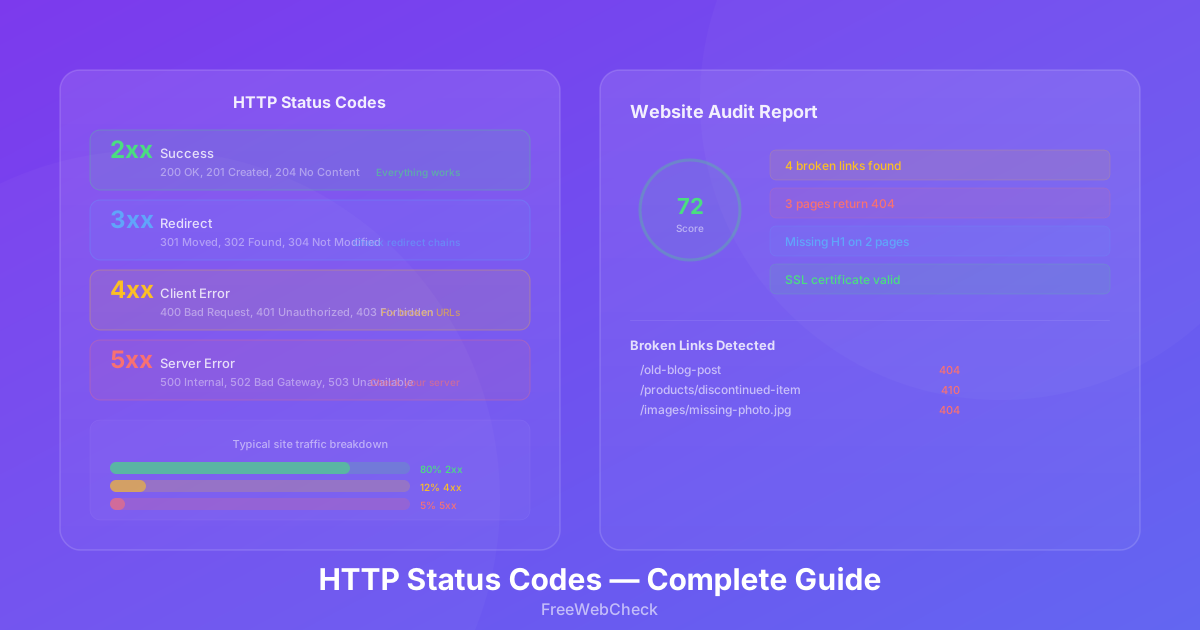
HTTP status codes are the language browsers and servers use to communicate. If you can read them, you can diagnose most website problems without guessing. Here’s what every class means and which ones you should actually worry about.
2xx Success — Everything Works
These are the codes you want to see. They mean the request was received, understood, and processed.
200 OK — The standard success response. Every working page should return this. If you’re running an SEO audit and a page returns 200, it’s accessible to both users and search engines.
301 Moved Permanently — The URL has permanently moved to a new location. Search engines transfer most of the ranking signal from the old URL to the new one. Always use this when restructuring a site.
302 Found — A temporary redirect. Search engines keep the old URL indexed since the move isn’t permanent. Use this for A/B testing, temporary maintenance pages, or seasonal landing pages.
307 Internal Redirect — Browsers use this internally for HTTP to HTTPS upgrades. You’ll see it in browser dev tools when visiting an HTTP URL that gets redirected to HTTPS automatically.
4xx Client Errors — Something Is Wrong on Your Side
These indicate the request from the client (browser or search bot) couldn’t be fulfilled. Most of these are problems you can fix.
401 Unauthorized — The page requires authentication. If a page behind a login wall is supposed to be public, the configuration is wrong. Search engine bots can’t log in, so they can’t index these pages.
403 Forbidden — The server understands the request but refuses to fulfill it. This often happens when access controls block bot traffic accidentally. I’ve seen sites block Googlebot with a 403 by mistake — their entire site disappeared from search results within a week (source).
404 Not Found — The most well-known error code. The URL doesn’t exist. This happens when pages are deleted, URLs are changed without redirects, or links point to the wrong place. A few 404s on old content isn’t a crisis, but 404s on important pages that had backlinks will cost you rankings.
410 Gone — Like 404, but explicit: the resource is intentionally removed and won’t come back. Search engines handle this slightly differently than 404 — they remove the URL from the index faster. This is the right code to use when you’ve permanently deleted a page and have no replacement.
429 Too Many Requests — You’ve hit a rate limit. The response should include a Retry-After header. This is common when scraping or using automated tools too aggressively.
5xx Server Errors — Something Is Broken on the Server
These mean the server failed to fulfill a valid request. They’re server-side problems that affect every visitor equally.
500 Internal Server Error — A generic server-side error. Could be a misconfigured .htaccess file, a PHP error, or a database connection failure. The server log has the details, but the browser gets this generic message.
502 Bad Gateway — One server got an invalid response from another server upstream. Common with proxy servers, load balancers, or CDN configurations. If you use Cloudflare and see a 502, the origin server might be down or refusing connections.
503 Service Unavailable — The server is temporarily overloaded or down for maintenance. Search engines will retry later. The response should include a Retry-After header. If you’re running a sale or launching a product, make sure your server can handle the traffic spike.
504 Gateway Timeout — One server didn’t get a response from an upstream server in time. This happens when your application server is too slow or when there’s a network connectivity issue between servers.
How to Find Status Code Issues on Your Site
You don’t need to check every URL manually. The Website Audit tool crawls up to 25 pages and reports the HTTP status code for each one. It flags every 4xx and 5xx response so you know exactly which pages need attention.
For a deeper look at individual links, the Page Link Analyzer checks external links too. I use it to audit guest posts and backlink profiles — link rot is real, and a 404 on a page linking to you is wasted link equity.
Which Status Codes Matter for SEO
Not every error code is an emergency. Here’s how I prioritize them:
Critical (fix immediately) — 404 and 410 on pages with backlinks or search traffic. 500 and 502 on any page. 403 on pages that should be public.
Important (fix this week) — 404 on internal links (broken navigation or content gaps). 301 chains (three or more redirects in sequence). Mixed 200 and 404 across similar pages.
Monitor — 503 during traffic spikes (fix the root cause). 429 if you’re running automated tools. Occasional 404s on old removed content with no backlinks.
Most site owners can ignore everything else. The trick isn’t eliminating every error — it’s catching the ones that hurt your rankings and user experience.
Quick Checklist
- Run a website audit to find all 4xx and 5xx responses
- Set up 301 redirects for deleted or moved pages
- Fix server errors (5xx) by checking your hosting configuration
- Check for redirect chains longer than 3 hops
- Verify that important landing pages return 200
- Set up monitoring for sudden spikes in 4xx or 5xx errors