FreeWebCheck
3 On-Page SEO Mistakes We Made (And How We Fixed Them)
I run these SEO and audit tools all day for other people’s sites. So when I finally pointed them at my own, I figured I’d breeze through with a clean report.
I didn’t get one.
Three issues kept popping up across page after page. Not catastrophic, but the kind of thing that slowly drags down rankings. Here’s what they were and how we fixed them.
1. Missing or Weak Meta Descriptions
This was the most common issue — and the easiest to fix.
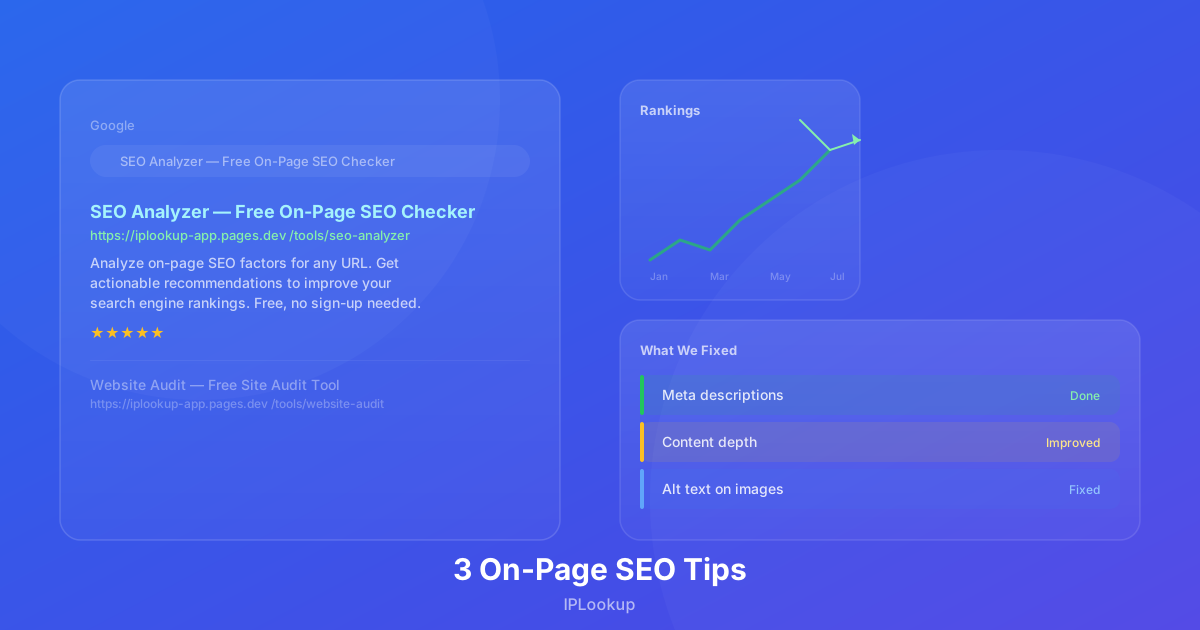
About a third of our pages either had no meta description or had one that was too short, too long, or didn’t include the target keyword. The SEO analyzer flags these with a warning, and when I saw the list, I realized I’d been rushing through page setup.
The fix: I sat down and wrote unique descriptions for every page. Each one is 120-160 characters, includes the primary keyword, and tells the reader what they’ll find on the page. Google Search Central recommends writing unique, descriptive meta descriptions for every page — they don’t directly boost rankings, but well-written snippets improve click-through rates from search results (source). For example, the DNS lookup page went from:
“DNS lookup tool.”
to:
“Free DNS lookup tool — query A, AAAA, CNAME, MX, NS, TXT, SOA, and SRV records for any domain. Powered by Cloudflare DNS-over-HTTPS.”
Same page, but now the description actually tells you what you get.
2. Shallow Content on Key Pages
The website audit tool checks content length and flags pages under 300 words. Several of our tool pages were barely scraping past that threshold. They had the tool, a heading, and a sentence of explanation — and that was it.
The problem isn’t just word count. Thin content sends a signal to search engines that the page doesn’t fully answer the user’s query. If someone lands on a page about DNS lookup and sees nothing beyond the tool itself, they might bounce. And if they bounce, Google notices.
The fix: I added context to each tool page. A short “how it works” section, a list of use cases, and a FAQ with 3-4 common questions. The DNS lookup page went from 280 words to 580 words. The bulk IP lookup page now has a section explaining when you’d use it — monitoring server IPs, checking proxy lists, verifying VPN ranges.
The content doesn’t have to be long. It just has to be useful.
3. Missing Alt Text on Images
This is the one that annoyed me the most, because I knew better.
Several images across the site — mostly in blog posts and the about page — had either no alt text or alt text that just repeated the filename. Screen readers would encounter these and either skip them entirely or read something like “img1.svg” to the user.
The audit tool flags missing alt text under accessibility, but it affects SEO too. Search engines use alt text to understand what an image is about. Without it, you’re leaving ranking signals on the table.
The fix: I went through every image on the site and wrote descriptive alt text. MDN’s accessibility guide explains that alt text is read by screen readers and used by search engines for indexing, making it essential for both accessibility and image SEO (source). For decorative images (like the background pattern on the homepage), I added aria-hidden="true" so screen readers ignore them entirely. For informative images — charts, diagrams, screenshots — I wrote descriptions that explain what the image shows.
A good test: if someone reads your alt text out loud, can they picture what the image looks like? If not, rewrite it.
How We Caught These
We run the SEO analyzer and website audit tools regularly now. Not every week, but any time we publish a new page or make significant changes.
The tools are free and don’t require sign-up. If you have a site, run a scan. You might find things you didn’t expect — I certainly did.
The Results
After fixing these three issues across all pages, our average page score went from 74 to 86. We’re seeing better rankings for our tool pages, and more organic traffic to blog posts that previously had weak meta descriptions.
More importantly, the site feels more complete. Every page now answers the question it set out to answer. The images are accessible. The search snippets look good.
Worth an afternoon of work.