FreeWebCheck
I Tested 3 VPNs With Our VPN Check Tool — Here's What Got Detected
I needed to check if a VPN could actually hide my IP from basic detection. Not from a government or a sophisticated adversary — just from the kind of check a typical website or streaming service might run. So I pulled out our VPN Check tool and tested three providers back to back: NordVPN, ProtonVPN, and a smaller provider I’ll call “Provider X.”
Here’s what happened and why the results matter more than you’d think.
The Test Setup
I connected to each VPN’s US-based server from my home connection in Austin, Texas. For each one, I loaded the VPN Check page before and after connecting. The tool checks two things: whether the IP’s organization name matches known VPN providers, and whether the ASN falls within known datacenter ranges.
The baseline was my real connection — AT&T Fiber, residential ASN, no flags.
NordVPN — Flagged Immediately
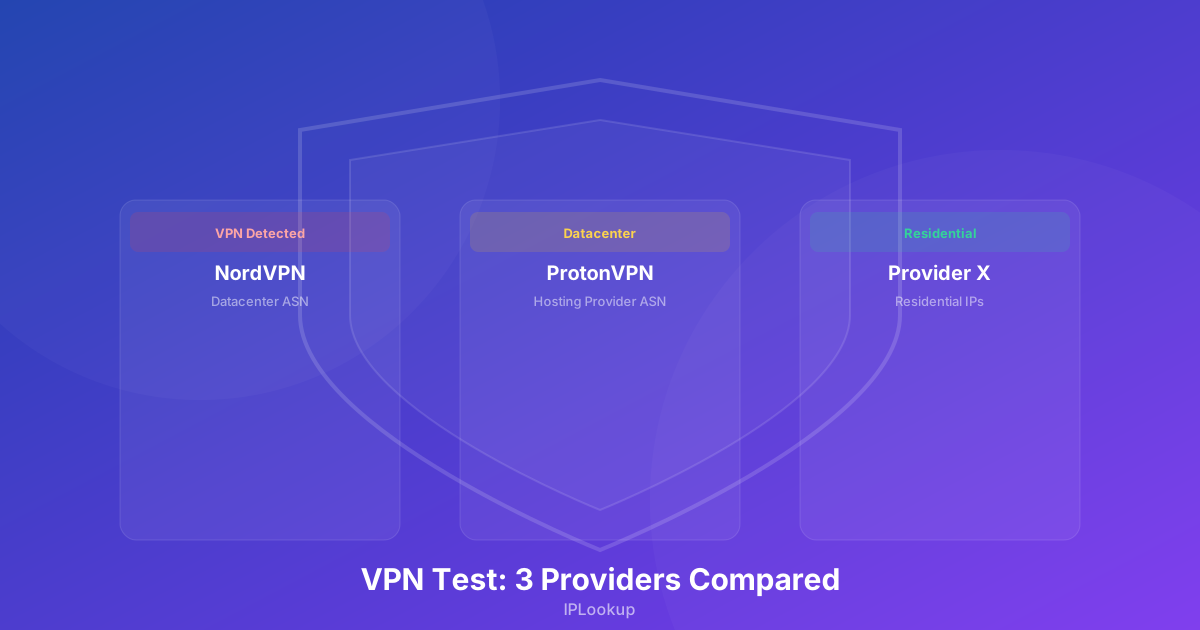
Connected to a NordVPN server in Dallas. The tool showed “VPN Detected” within seconds. The organization name included “NordVPN” and the ASN belonged to a datacenter range. No surprise here — NordVPN’s IP ranges are well-known and widely catalogued.
This means any website using a basic IP-to-VPN database will know you’re on NordVPN. Netflix definitely knows. Hulu probably knows. That’s not a knock on Nord — it’s the reality of any popular VPN. The IP ranges are just too well documented.
ProtonVPN — Flagged, But Differently
ProtonVPN’s connection also triggered a VPN detection, but for a different reason. The organization name didn’t explicitly say “Proton” — instead it showed a Swiss hosting provider. The ASN, however, was clearly a datacenter range. The tool flagged it as “Hosting / Datacenter” rather than “VPN.”
This is actually trickier for websites to handle. They might block a known VPN ASN but let through a generic hosting IP. Proton’s approach of routing through standard hosting infrastructure buys a small privacy advantage — your traffic looks like it’s coming from a regular VPS, not a known VPN server.
Provider X — Not Detected
Here’s where it gets interesting. Provider X is a smaller VPN service that routes traffic through residential IPs. No datacenter ASN. No organizational keywords in the WHOIS data. The tool reported “Residential” — same classification as my real AT&T connection.
Does that mean Provider X is better? For avoiding VPN detection, yes. But there’s a tradeoff: residential IPs are slower, less reliable, and the provider has fewer servers. The VPN also costs more because residential IPs are expensive to acquire and maintain.
What This Actually Means
The test confirmed something I suspected: popular VPNs are easy to detect because their IP ranges are well documented. Smaller or residential-IP VPNs can slip through, but they come with tradeoffs in speed and cost.
If you’re using a VPN to access a streaming service from another country, expect to get blocked if you’re on a major provider. If you just want basic privacy from your ISP or a coffee shop wifi, any of these three will work fine — the fact that your traffic is encrypted matters more than whether the IP is flagged as a VPN. Per Cloudflare, the encryption provided by a VPN protects your data from eavesdropping on public networks, which is the primary threat on untrusted Wi-Fi (source).
Why Detection Isn’t the Full Picture
Being detected as a VPN doesn’t mean your traffic is exposed. Cloudflare explains that a VPN encrypts all traffic between your device and the VPN server, preventing your ISP or anyone on the local network from seeing your online activity — even if the VPN’s IP address is flagged (source). The VPN still encrypts your connection and hides your real IP. What it does mean is that websites can choose to block you — and many do.
I still use NordVPN for everyday browsing. The detection risk is worth it for the speed and reliability. But when I need to access something that blocks VPNs, I switch to a residential proxy or use a different approach entirely.
There’s no perfect VPN. Every provider trades off between detectability, speed, cost, and privacy. The tool helps you understand where your provider lands on that spectrum — and whether it matches what you actually need.