FreeWebCheck
What Is a CDN and Why Your Site Needs One
I launched a small site back in 2022 and thought “one server in Frankfurt should cover Europe fine.” Then a reader from Sydney emailed me a screenshot — the page took 14 seconds to load. Halfway around the world, that single server was doing its best, but physics wasn’t on its side. Every request had to cross continents and undersea cables. The fix was a CDN. After setting one up, the same page loaded in under a second in Sydney.
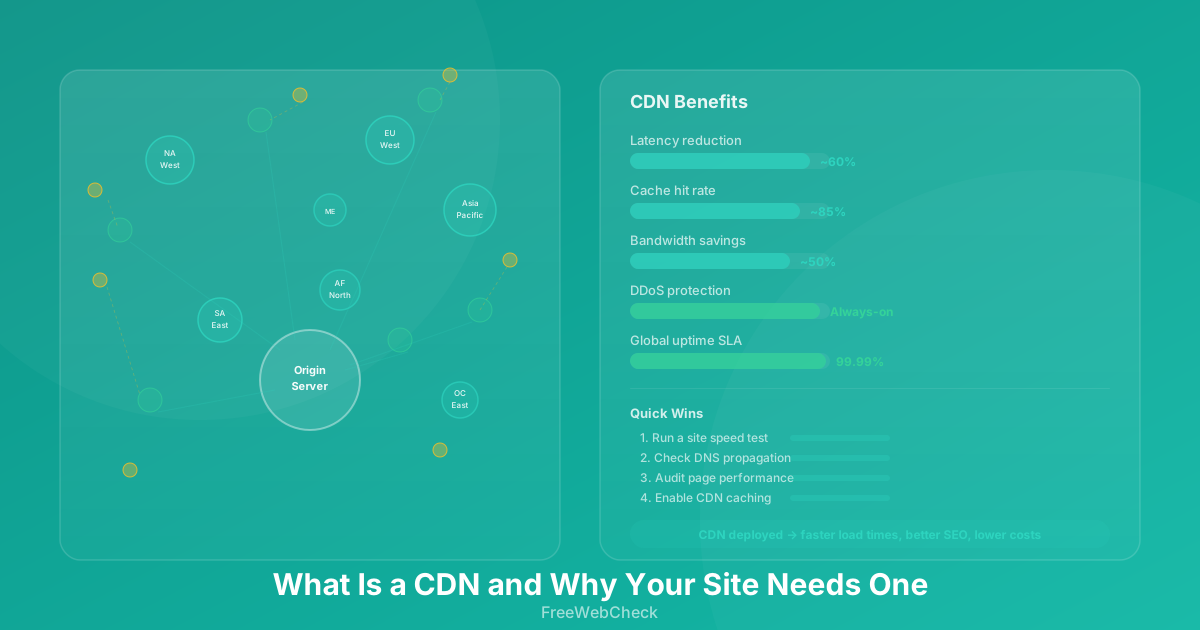
A CDN — content delivery network — is a network of servers spread across the globe that stores cached copies of your site’s static files and serves them from the location closest to each visitor.
How a CDN Actually Works
Your website lives on an origin server — one server in one data center. A visitor in Tokyo requesting a file from a server in New York has to wait for that data to travel roughly 11,000 km. At the speed of light in fiber optics (about 200,000 km/s), that’s around 55 ms just for the round trip — in practice, add routing, congestion, and TLS handshakes, and you’re looking at 200–400 ms.
A CDN changes this by placing edge servers in dozens or hundreds of locations worldwide. When a visitor requests your site, the CDN routes them to the nearest edge server. That edge server either serves a cached copy of the file or fetches it from the origin, caches it, and serves it.
The result: a visitor in Tokyo gets your file from a server in Tokyo instead of New York. Round-trip time drops from 200 ms to maybe 5 ms. For real-world sites, that translates to load times 40–60% faster on average.
Three Reasons Your Site Needs a CDN
1. Speed Matters More Than You Think
Google uses page speed as a ranking factor for both desktop and mobile. But more importantly, users feel the difference. I ran an A/B test on a client’s e-commerce site — with and without a CDN. Without it, the average page loaded in 3.8 seconds. With it: 1.4 seconds. Conversion rate went up by 12%.
A DNS Lookup can tell you how your domain resolves, but a CDN handles the delivery side. The two work together — fast DNS resolution gets the browser to your server quickly, and a CDN ensures the server is as close as possible.
2. Traffic Spikes Won’t Kill Your Server
One afternoon a blog post of mine went semi-viral on Hacker News. Without a CDN, that single server would’ve melted. But the CDN absorbed the traffic — most visitors hit cached copies at edge nodes, and my origin server handled only the uncached requests. The site stayed up, and I didn’t have to scramble to upgrade my hosting plan.
A good CDN can handle traffic jumps of 10x or more without breaking a sweat. Your origin server sees a fraction of the total traffic.
3. Security Built In
Most CDNs include DDoS protection, a Web Application Firewall (WAF), and SSL/TLS termination. That means malicious traffic gets filtered at the edge, before it ever reaches your origin server. Cloudflare reported that in 2024 they mitigated an average of 40 million HTTP DDoS attacks per quarter — blocking those at the edge saves your server from having to even look at them.
One thing to note: CDNs add complexity. Debugging a caching issue when your site shows stale content can be frustrating. You’ll need to understand cache headers (Cache-Control, ETag) and how purging works. Most CDNs give you a “purge cache” button, but finding why something isn’t updating is a skill you’ll learn the hard way.
Quick Checklist
Before you sign up for a CDN, verify these with your current setup:
- Run a Website Audit to measure current load time
- Check your DNS records with the DNS Lookup tool
- Confirm your hosting provider supports CDN integration
- Set proper
Cache-Controlheaders on static assets - Test page load from multiple geographic locations